> ## Documentation Index
> Fetch the complete documentation index at: https://docs.propelcode.ai/llms.txt
> Use this file to discover all available pages before exploring further.
# Knowledge base
> Teach Propel your team rules so reviews stay consistent across repositories.
Use the knowledge base to teach Propel your team standards.
When you add a rule, Propel applies it to future reviews across connected repositories.
For complete command syntax, use [Commands](/features/commands).
## Example company rules
| Rule name | Rule |
| -------------------- | -------------------------------------------------------------------------------------- |
| Variable preferences | Prefer creating new variables with descriptive names over mutating existing variables. |
| Use Typography | Use the shared Typography component instead of custom font size handling. |
| CompanyId casing | Use `CompanyId` consistently instead of `CompanyID` across services. |
## Add rules in four ways
### 1. Add rules directly in a pull request
Use `/propel add to knowledge base` in a pull request comment:
```bash theme={null}
/propel add to knowledge base ""
```
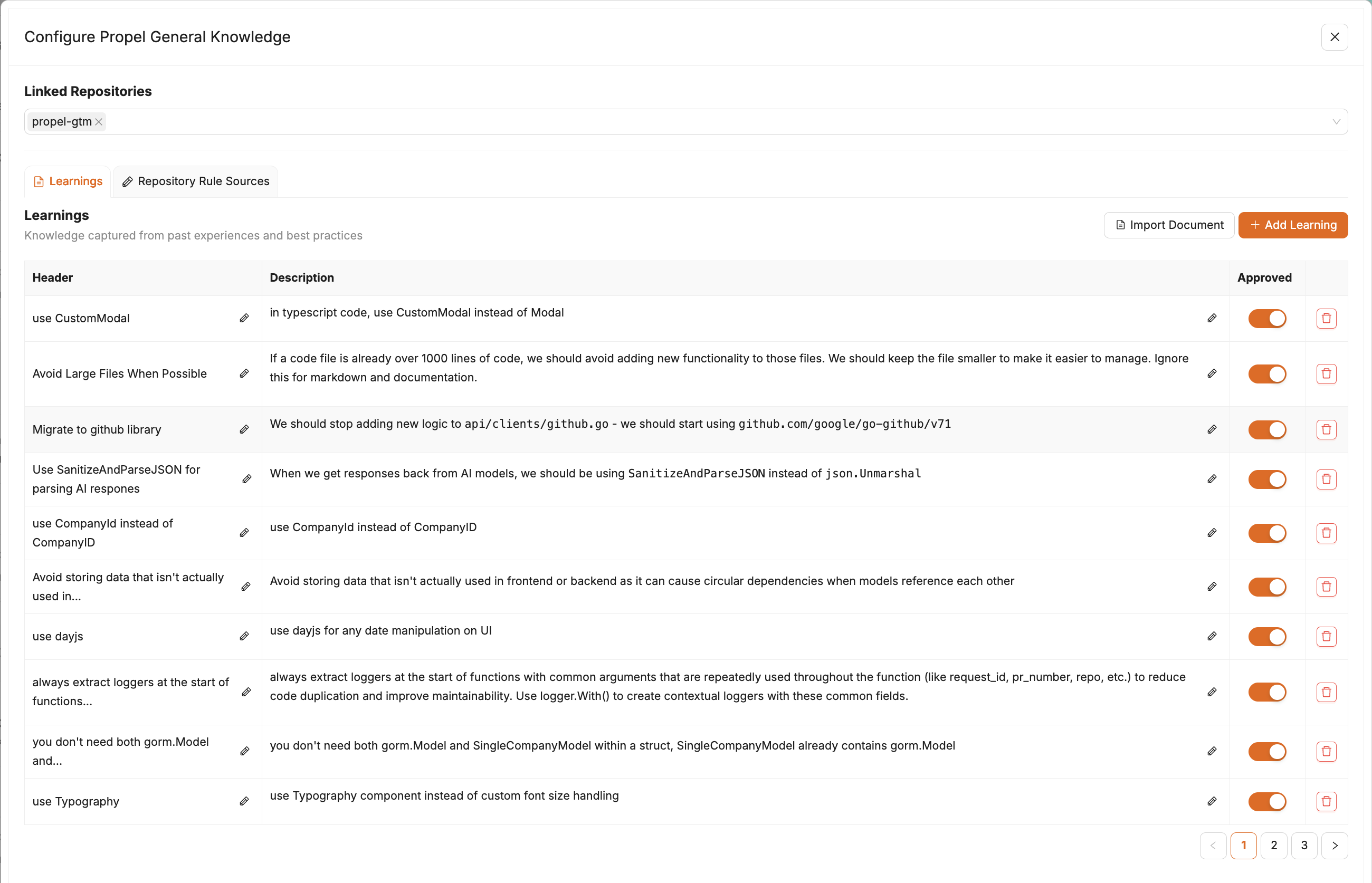
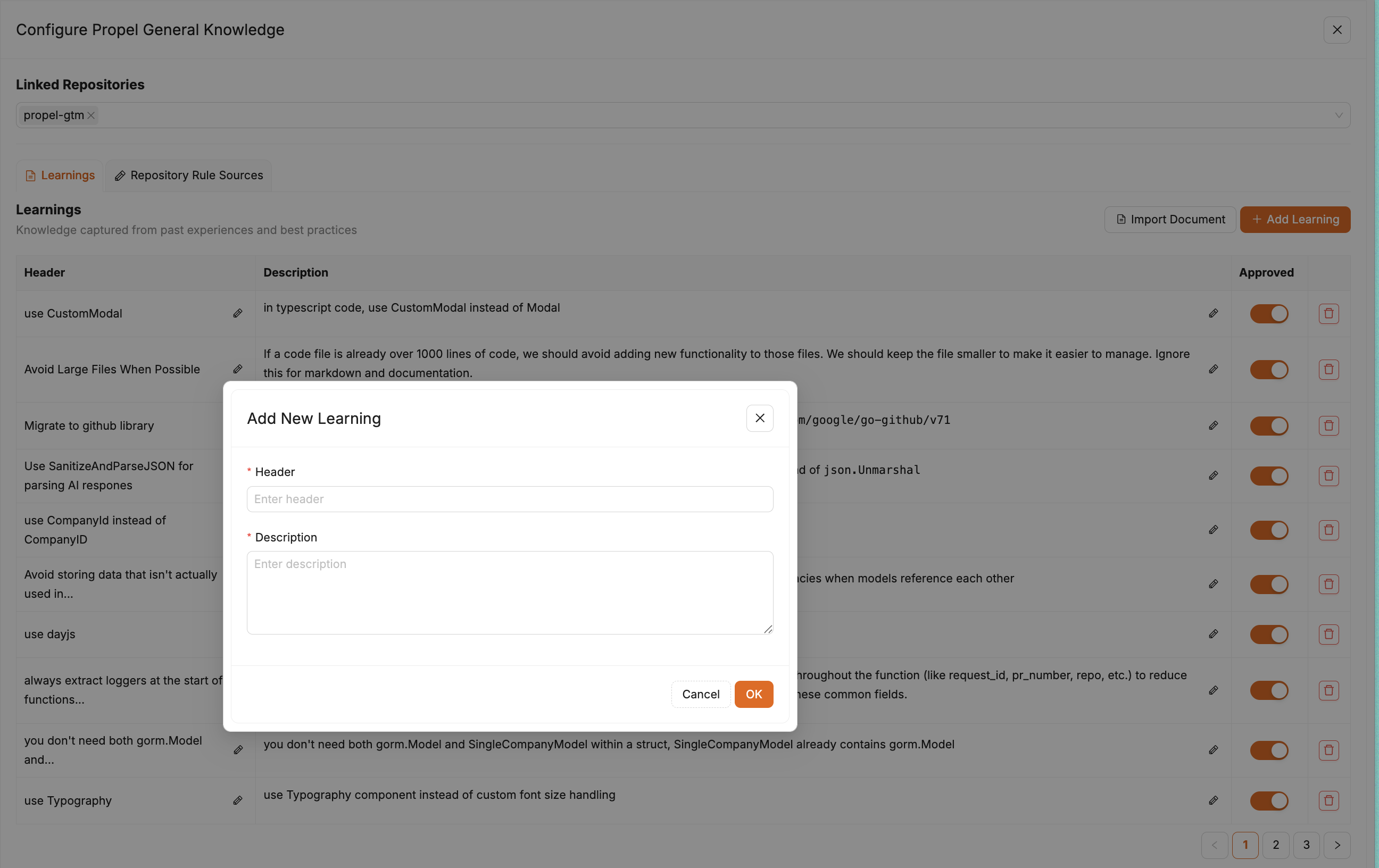
 ### 2. Add rules in the knowledge base UI
Open the knowledge base page in the app and create or edit rules there:
[Knowledge base](https://app.propelcode.ai/knowledge-base)
### 2. Add rules in the knowledge base UI
Open the knowledge base page in the app and create or edit rules there:
[Knowledge base](https://app.propelcode.ai/knowledge-base)
 ### 3. Add rules in `.propel/rules`
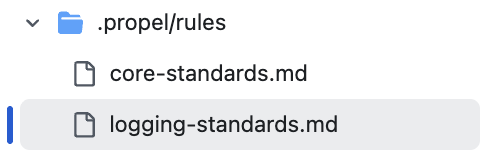
Store repo-specific guidance in `.propel/rules`. Propel reads these files during review for that repository.
### 3. Add rules in `.propel/rules`
Store repo-specific guidance in `.propel/rules`. Propel reads these files during review for that repository.
 ### 4. Add markdown files as rule sources
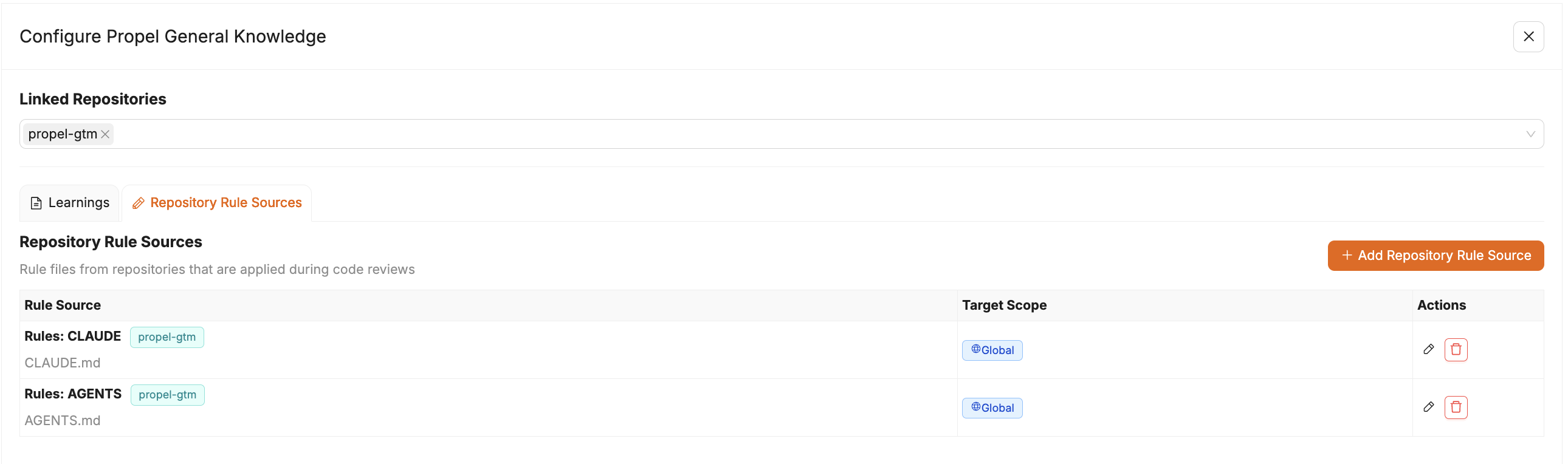
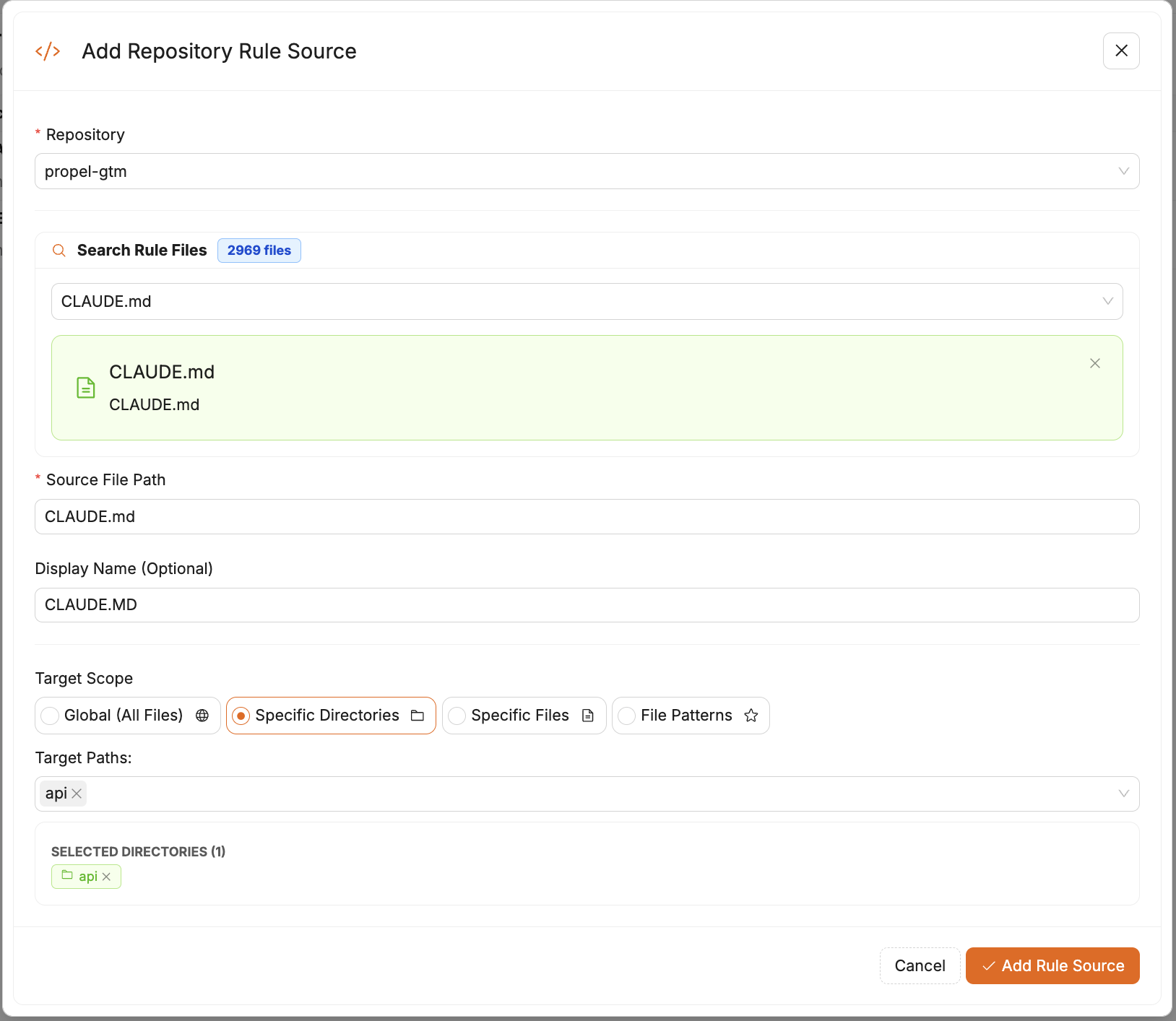
You can attach additional markdown files in the knowledge base UI to apply rules across multiple repositories.
### 4. Add markdown files as rule sources
You can attach additional markdown files in the knowledge base UI to apply rules across multiple repositories.
 ## Next steps
1. Add one rule from a recent pull request.
2. Re-run `/propel review` on an active pull request.
3. Confirm the rule is applied in Propel comments.
## Automatic rule file detection
Propel automatically detects common rule files and directories during review to gather additional instructions and context. This includes files such as `AGENTS.md`.
You can use directory exclusions when you want Propel to ignore folders such as `archive/`, `drafts/`, or internal docs that should not shape review guidance.
## Next steps
1. Add one rule from a recent pull request.
2. Re-run `/propel review` on an active pull request.
3. Confirm the rule is applied in Propel comments.
## Automatic rule file detection
Propel automatically detects common rule files and directories during review to gather additional instructions and context. This includes files such as `AGENTS.md`.
You can use directory exclusions when you want Propel to ignore folders such as `archive/`, `drafts/`, or internal docs that should not shape review guidance.